🎯 Key Takeaway
- Ask can I use Google Maps on my website and the answer turns on which map you mean
- Google’s documentation says Embed API requests carry no charge, with unlimited usage
- A key is still required, and it should be restricted to your own domain
- Screenshots sit under different rules from embeds, and the rules are narrower
- Attribution has to stay visible, so cropping it out is the one design habit that breaks this
The map most businesses want costs nothing.
Search this question and you will find agencies explaining a billing model, forum threads from owners who never got a clear answer, and at least one headline telling you to get ready to pay. All of that is about a different product from the one a contact page needs.
Google publishes two separate ways of putting a map on a site. One is metered and priced. The other is a single line of code that the documentation describes as carrying no charge at all.
So the useful question is which one you are reaching for.
Which map you are actually adding
Begin with the job rather than the product, because the confusion starts when those two get mixed. A contact page wants to show where you are. A delivery quoting tool wants to calculate a distance. Those are different pieces of software with different commercial terms.
And most small business sites want the first one.
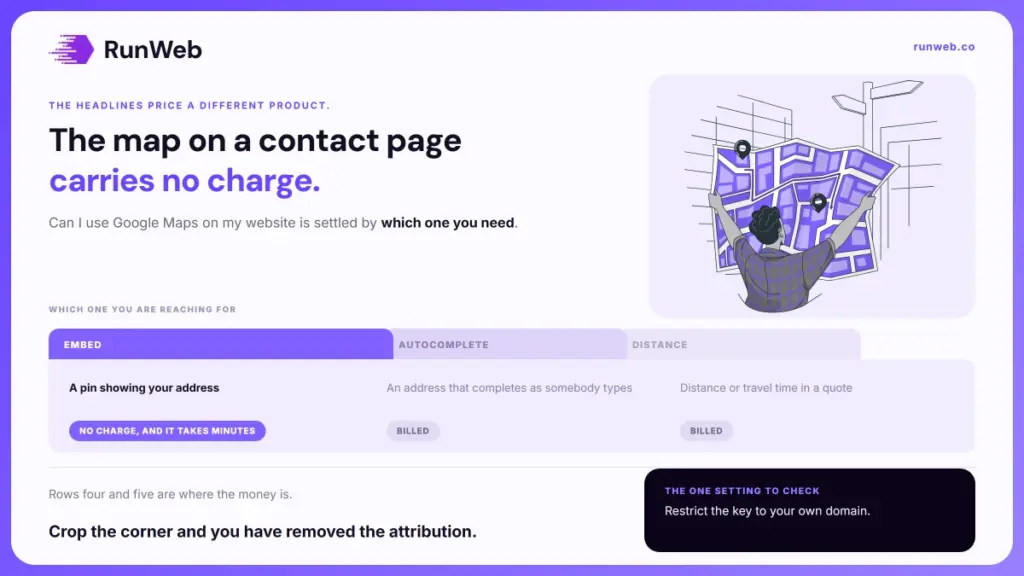
| What you want on the page | What it needs | Where that leaves you |
|---|---|---|
| A pin showing your address | An embedded map | No charge, and it takes minutes |
| Directions to your door | An embedded map in directions mode | Same, and the visitor gets the route |
| A street level view of the entrance | An embedded panorama | Same again |
| An address that completes as somebody types | A separate, metered service | Billed, and worth costing before you build it |
| Distance or travel time in a quote | A separate, metered service | Billed, and often the wrong tool for a brochure site |
Rows one to three cover what almost every service business is trying to do. Rows four and five are where the money is, and they show up in searches for this question because the people writing about them are usually building something more ambitious than a contact page.
The one that carries no charge
That first group has its own product, and the documentation is unusually plain about the cost. Google’s Embed API overview states it in a single sentence.
All Maps Embed API requests are available at no charge with unlimited usage.
That is worth reading twice. It removes both of the worries people arrive with, because there is no per-view charge and no traffic ceiling that turns a busy month into an invoice.
The same product carries five embed modes, and knowing the list saves reaching for the paid tools by mistake.
- Place: a pin at one location, which is the mode a contact page wants.
- View: a map with no marker, for setting a scene rather than pointing at a door.
- Directions: the path between two or more points, drawn on the map itself.
- Street view: an interactive panorama, which helps where the entrance is hard to spot.
- Search: results across the visible area, for a business with several locations.
Directions mode is the underused one. A trade business whose customers drive to a yard or a showroom gets more from a route than from a pin, and it costs exactly the same as the pin does.
Where a bill actually appears
None of that means the words free and Google Maps can be used together without care. The embed is free and the platform around it is not, which is worth settling before anybody starts building.
- A key is still required: the embed code carries one, which means a Google Cloud project exists behind your contact page whether or not it ever bills you.
- Restrict the key to your domain: an unrestricted key can be lifted out of your page source and used on somebody else’s site, and the usage lands in your project.
- The interactive map library is a different product: custom markers, drawing on the map and reacting to clicks all belong to the JavaScript library, which is metered.
Item two is the one that turns a free feature into a surprise. Nothing about the embed itself generates a charge, though a key that also has the paid services enabled and no domain restriction is a loose end sitting in public view.
So keep the project narrow. One key, restricted to your own domain, with only the service you actually use switched on, and the whole question stops being a financial one.
The screenshot nobody checks
That leaves the shortcut people reach for when the embed feels like too much work. Taking a picture of the map and dropping it in as an image looks easier, loads faster and avoids the key entirely. It also moves you into a different set of rules.
Google’s geo guidelines govern that use, and they are narrower than most people assume.
- Printing: permitted for non-commercial or personal use, which is a narrower permission than a business page tends to need.
- Merchandise: not permitted on consumer or retail goods and packaging, with t-shirts, mugs, posters and stationery named directly.
- Books and navigation: not permitted inside books above five thousand copies, as cover art, or as the core of printed navigational material.
- Embedding: allowed on a website without asking, and the guidelines treat it as the ordinary route.
The pattern across those rules is consistent. Where the map stays connected to Google, the permission is broad, and where it is lifted out and reproduced somewhere else, the permission narrows quickly.
The shortcut is the thing that needs checking, and the proper method is the one nobody has to think about. That is worth remembering the next time an embed feels like effort.
The line you must not crop
Once a map is on the page, one rule survives every version of this question, and it is the one a designer’s instinct breaks. Attribution has to stay where the reader can see it.
The guidelines require that all uses of Maps, Earth and Street View content provide attribution to Google, that the attribution stays close to the content, and that third-party data providers are included where they apply. They are equally direct about what you cannot do.
- Do not remove it: the guidelines say not to remove, obscure or crop out the attribution information.
- Do not move it away: the credit belongs beside the content it credits, not in a footer or on a separate page.
- Do not set the logo inline: Google logos are not to be used in running text.
What that means for the design
Cropping a map to fit a band across a page is the usual way this goes wrong, since the attribution sits in the corner and the corner is what gets trimmed. Rounded masks and tight aspect ratios do the same thing without anybody deciding to. Check the rendered page rather than the design file, because the crop happens in the browser.
The same thinking applies if you go a different route entirely. Maps built on OpenStreetMap data are available under the Open Database Licence, and that licence also asks you to display the attribution notice and make clear the data is available under it. Nobody hands out a map with no credit attached.
So treat the credit as part of the component. A map on a contact page is a small job supporting a much bigger one, which is being found locally at all. That is where ranking in Maps, how long local SEO takes and the shape of a service area business matter far more than the embed does.
And where the contact page is the weak link rather than the map on it, that is the part worth rebuilding, which is what our websites service does, with the detail set out in the package tiers.
Frequently Asked Questions
Do I need a Google Cloud account to add one?
A project and a key are needed, which means an account exists behind the page. Setting one up is free, and leaving billing unconfigured on a project using only the embed is a reasonable way to cap any surprise.
Will an embedded map slow my page down?
It pulls scripts and tiles from another domain, so it has a cost in loading time. Placing it low on the contact page and letting it load after the visible content is the usual answer.
Can I show several branches on one map?
Search mode covers this for businesses with more than one address, and a custom pin per branch belongs to the metered library instead. Most multi-location sites do better with a page each.
What happens if my key stops working?
The map is replaced by a grey panel with an error over it, which visitors read as a broken site. Checking it after any domain or hosting change is worth the thirty seconds.
Is a plugin better than pasting the code?
A plugin manages the key and the settings for you, at the price of one more thing to keep updated. Pasting the code directly keeps the page lighter and leaves nothing to expire.