🎯 Key Takeaway
- Ask can I use a YouTube video on my website and the answer splits on how you put it there
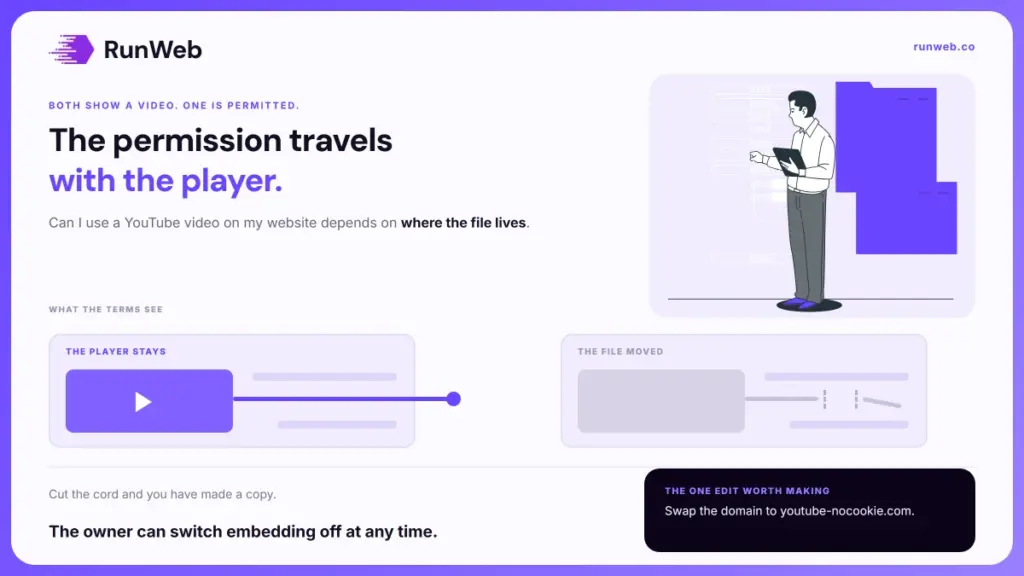
- Embedding the player is permitted by the terms, since playback and embeds are features of the service
- Downloading the file and hosting it yourself sits outside that permission entirely
- Owners can switch embedding off, and age-restricted videos won’t play on other sites at all
- Swapping one domain in the embed code changes what the player stores on your visitors
Two buttons, two completely different answers.
Click Share, then Embed, and paste the code into your page. That route is spelled out in YouTube’s own help and nobody needs permission to take it. Save the file with a downloader and upload it to your own host instead, and you’ve done something the same terms forbid in plain words.
Both give a visitor a video on your page. Only one of them is a use the platform has agreed to, and the distinction is not about attribution or intent.
So it pays to know which side of the line each option sits on.
Two actions that look the same
Start with what the visitor sees, because the two routes are indistinguishable from the sofa. A rectangle appears with a play button in the middle, and the video runs when somebody clicks it. What differs is where the file is served from and whose player is serving it.
And that difference is the entire answer.
| What you do | Where the file lives | Where it stands |
|---|---|---|
| Paste the embed code | On YouTube, played through its player | A use the service enables |
| Link to the video | On YouTube, opened in a new tab | A use the service enables |
| Download and re-upload | On your own hosting | Reproduction, and the terms forbid it |
| Screen-record and edit a clip | On your own hosting | Reproduction plus a derivative work |
Rows three and four are where people get into trouble, usually for a reason that sounds practical. A downloaded copy loads faster, plays without a cookie notice and carries no suggested videos at the end, so the temptation is real and the permission still is not there.
The fourth row surprises people most, because editing feels like work rather than copying. Trimming thirty seconds out of somebody’s tutorial and captioning it produces a new file that did not exist before, which is precisely what a derivative work is. Effort does not create a right to the underlying material.
What the terms actually permit
That permission comes from a contract rather than from custom, which is why the wording repays reading. YouTube’s terms of service say it directly, in a sentence most guides skip over.
You may also show YouTube videos through the embeddable YouTube player.
The same document is equally direct about the other side. It tells users they may not access, reproduce, download, distribute, transmit, display or otherwise use any part of the service or any content, except where YouTube authorises it or the rights holder gives written permission.
Then it explains why the embed escapes that list. Every creator grants other users a licence to their content, and the licence is limited on its face.
- The scope: the licence runs only as enabled by a feature of the service, and the terms name video playback and embeds as the examples.
- The limit: it grants no right to make use of the content independent of the service, which is exactly what a downloaded file is.
- The consequence: permission travels with the player, so keeping the player is what keeps the permission.
Copyright law sits underneath all of that and points the same way. The Copyright Office lists the exclusive rights an owner holds, and the first two are reproducing the work in copies and preparing derivative works from it. A re-upload is the first. A trimmed highlight is both.
That is worth holding onto when somebody tells you a video was public so it must be free to take. Public means anyone may watch it on the terms the platform sets, and those terms are the thing being agreed to every time the page loads. Nothing about a public address transfers the underlying rights to whoever finds it.
The version that loads less
Once you’ve settled on the embed, there’s a second decision inside it that almost nobody makes deliberately. The standard code points at youtube.com. Google documents a second option that changes what the player does to your visitors.
- The swap: in the embed code, change the domain from youtube.com to youtube-nocookie.com, which is the whole change.
- What it does: Google’s embed instructions describe views in this mode as not being used to personalise the YouTube browsing experience.
- Why it matters to you: fewer identifiers dropped on a visitor means less to describe in your own disclosures, and the video still plays normally.
- Give the frame a name: an embed is an iframe, and the accessibility technique for a frame title asks for one that describes the content, so a screen reader announces something better than “iframe”.
None of that is a legal requirement and all of it is cheap. The nocookie swap takes one edit per video, and the title attribute takes a few words, which is less effort than most items on a redesign checklist.
Where the same rule stops
Having established that the player carries the permission, the obvious next question is how far that idea travels. Not as far as people assume, because each platform writes its own terms and none of them has to match.
- Other video platforms: most offer an embed and most allow it, though the permission comes from that platform’s terms rather than from a general rule about embedding.
- Social posts: embedding a public post through the platform’s own code is the same pattern, while screenshotting it is a copy.
- The audio inside a video: a track licensed for use on one platform is licensed for that platform, so lifting the audio out is a separate question with a separate answer.
- Anything behind a login: if a visitor can’t reach it without an account, an embed on a public page won’t work and wasn’t meant to.
Item two is the one that catches marketing teams. A screenshot of a customer’s post feels safer than an embed because it looks static and contained, when in fact it’s a reproduction of somebody’s words and often their photograph as well.
The instinct runs backwards. The version that keeps the original platform in the loop is the permitted one, and the version that cuts the platform out is the one that needs asking.
What you are borrowing
All of which leaves one thing worth planning for. An embedded video is on your page and under somebody else’s control, and three ordinary events can empty that rectangle without warning.
- The owner turns embedding off: the setting sits in their Studio under a video’s details, and unticking it stops the video playing anywhere but YouTube.
- Age restriction: restricted videos can’t be watched on most third-party sites and redirect the viewer back to YouTube instead.
- Deletion or a strike: the video goes, and your page keeps a grey box where the argument used to be.
What that changes about where you use one
Use somebody else’s video to support a point, never to make it. A home page or a service page whose explanation lives inside a borrowed rectangle has outsourced its main argument, which is a poor trade even before the rectangle empties, and it’s the same reasoning that decides what belongs on a landing page.
So keep the surrounding copy able to stand alone, and check the embeds when you check the rest. A quick look at every page carrying one belongs in the same pass as the not secure label and the other things that quietly change underneath a site.
And where a video really is central to the sale, film your own and host it deliberately. Building the page around something you control is the kind of decision we settle at build time in our website builds, with the tiers set out in the package tiers.
Frequently Asked Questions
Do I have to credit the creator underneath?
The player already carries the title and channel name, so a separate credit line isn’t required by the terms. Adding one is good manners and it helps a reader who wants to find more from that channel.
Can I embed a competitor’s video?
Nothing in the terms restricts who may embed a public video. Whether it serves you is another matter, since the player shows their branding and can offer their other videos when yours finishes.
Does embedding slow my pages down?
Each player pulls scripts from another domain, so several on one page will cost you loading time. Loading the thumbnail first and fetching the player only on click is the usual fix.
Will an embedded video help my rankings?
Time on page can improve when a video answers what the visitor came for, and the video itself stays indexed on the platform rather than on your domain. Treat it as a reader benefit.
What if the creator asks me to remove it?
Take it down and move on, whatever the terms allow. A creator who objects can disable embedding anyway, and arguing about a free rectangle costs more than replacing it.